
How reliably can AI assist in document extraction? Part 3
June 29, 2026
In this part we'll orchestrate the pieces we've built so far, document extraction with docling (part 1) and AI data processing (part 2), into one automated workflow. Did you miss the last part? Don't worry, you can read it here
The idea
The first workflow idea looked something like this:
flowchart TD
A@{ shape: circle, label: "new file" } --> B
B@{ shape: rect, label: "Run docling pipeline" } --> C
C@{shape: diam, label: "Pipeline success?"}
		C --> |Yes| D
		C --> |No| E@{shape: rect, label: "flag as failed"}
D@{shape: rect, label: "LLM data extraction"} --> F
F@{shape: diam, label: "Valid LLM output?"}
		F --> |Yes| G
		F --> |No| E
G@{ shape: rect, label: "Get PO data" } --> H
H@{ shape: rect, label: "Cross reference" } --> I

I@{shape: diam, label: "PL matches PO?"}
		I --> |Yes| Z
		I --> |No| E

Z@{shape: framed-circle, label: "End"}
- Most scan solutions I worked with either sent the file via mail or saved it to a location on disk. In this case a new file will trigger the workflow.
- The file is processed by the docling pipeline.
- If successful, the docling output is processed by the LLM
- If the LLM output is valid then the purchase order data is retrieved
- The extracted data is cross referenced against the purchase order. Any failure at any point in the workflow is flagged as failed.
Setting up the parts for orchestration
n8n
To orchestrate the workflow I chose to use n8n because it can run locally and it has built-in features to work with AI like the AI Agent node. For example, n8n's AI Agent node integrates with the Ollama API under the hood without much hassle. They also publish templates and documentation for developing agentic workflows which I find is a good source for inspiration.
Since I wanted to work with local files (read and move) I had to set the following environment variables:
export N8N_RESTRICT_FILE_ACCESS_TO="/path/to/my/folder"
export NODES_EXCLUDE="[]"
N8N_RESTRICT_FILE_ACCESS_TOrestricts n8n's access to a specific folder on disk.NODES_EXCLUDEenables all nodes that are disabled by default. In my case the ones I need:n8n-nodes-base.executeCommandto execute cli actions andn8n-nodes-base.localFileTriggerto be able to use local file triggers. For example when a new file is created.
If this sounds scary, alternatively a FTP node can be used on a schedule to achieve the same outcomes.
I also created a sub-flow that mocks a json reponse with purchase orders.
Docling serve API
The docling project has a cool package called docling-serve that wraps docling's capabilities with a simple REST API. I used pipx to install it in an isolated environment and because I used the onnx RapidOCR models, I also had to inject the onnxruntime:
pipx install "docling-serve[ui]"
pipx inject docling-serve onnxruntime
Adding [ui] also installs a nice and easy UI to quickly try out different settings.
To start docling-serve simply run: docling-serve run --enable-ui and the UI will be accessible via: http://127.0.0.1:5001/ui and the API documentation will be accessible via: http://127.0.0.1:5001/docs
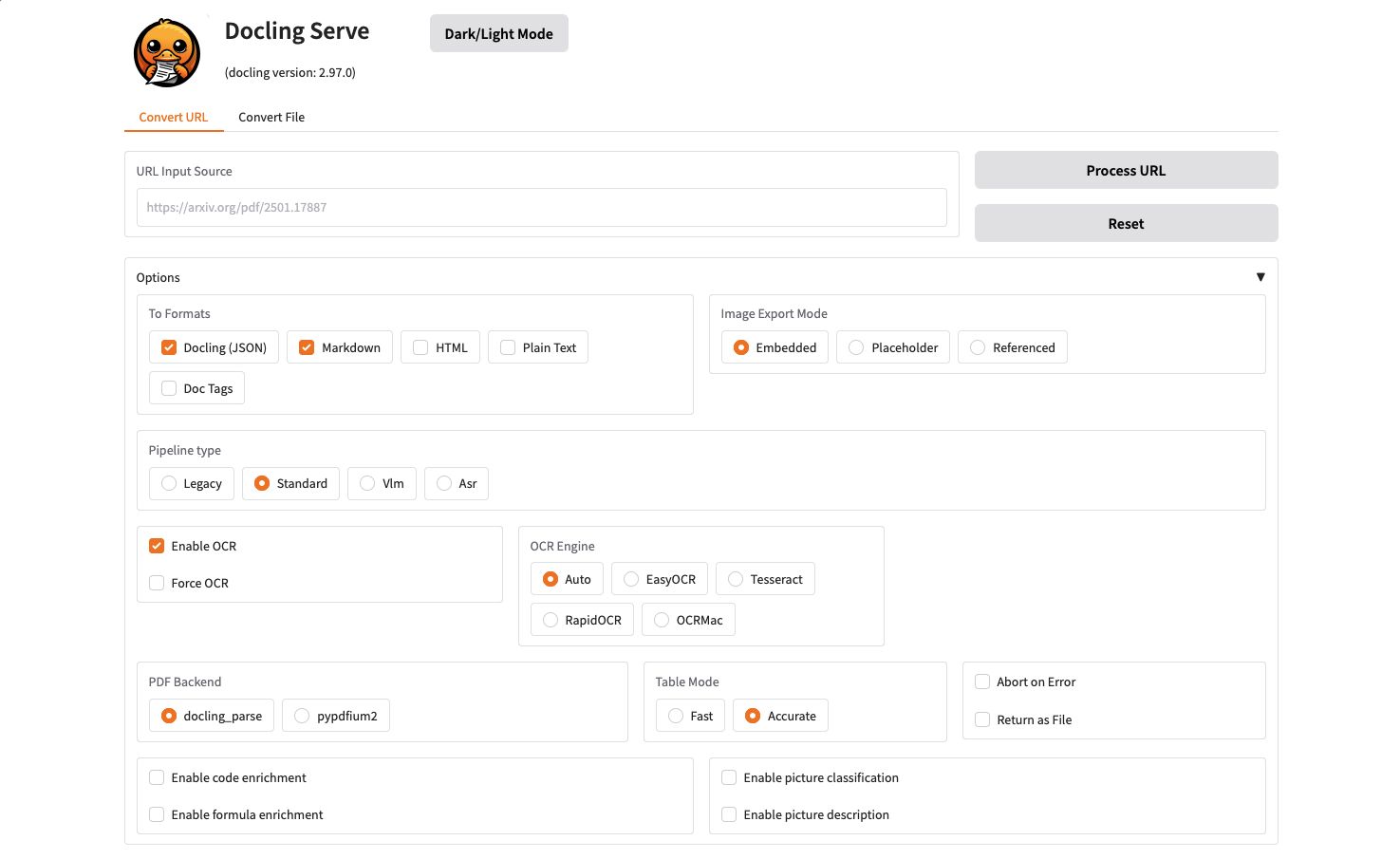
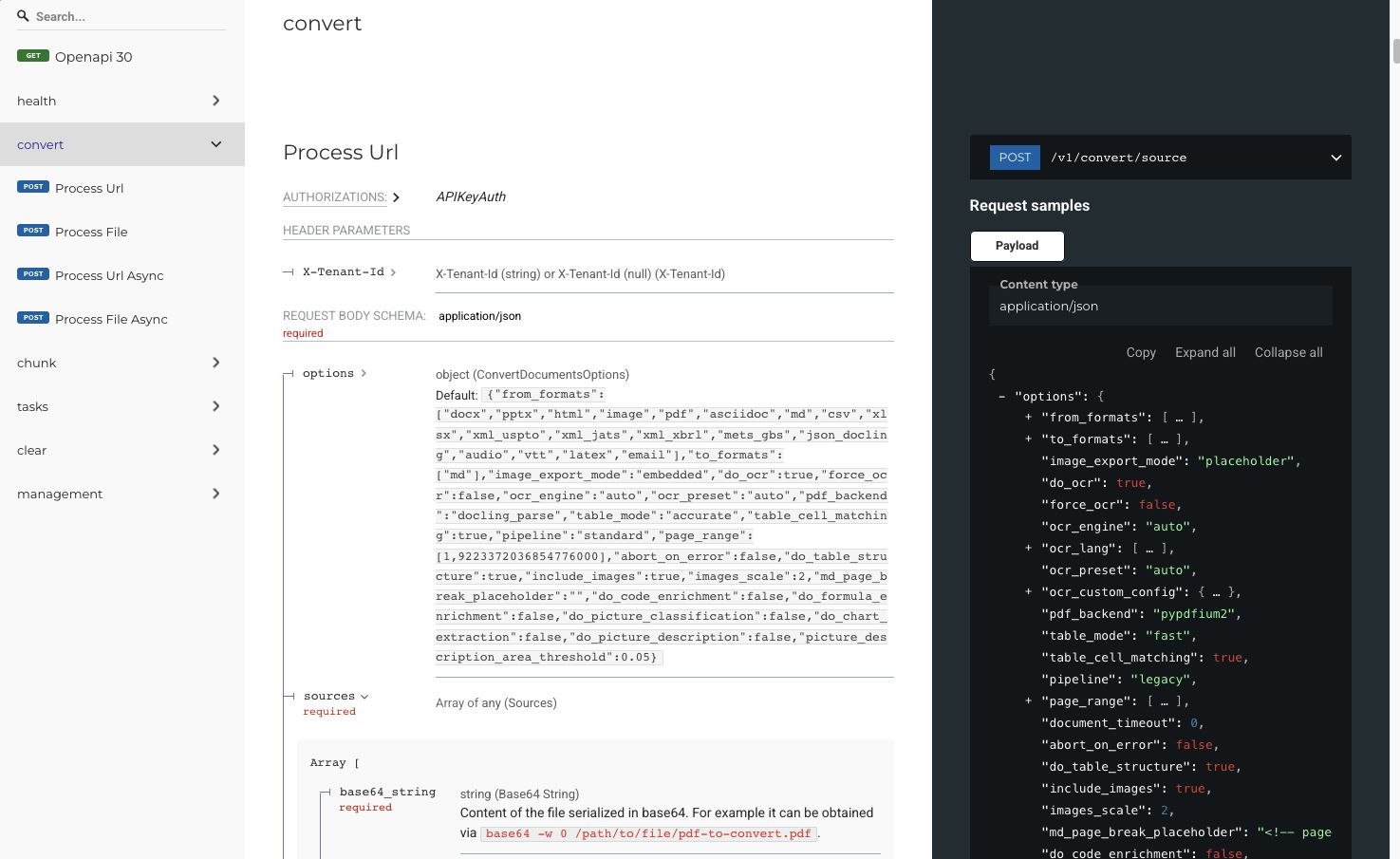
Converting a file via the API is quite simple. You can either use the /v1/convert/source endpoint to process files from a URL or base64 string or use the /v1/convert/file endpoint to send the files via multipart.
Since I don't need the base64 overhead, I chose to use the multipart option. Testing this API was relatively easy using Postman:
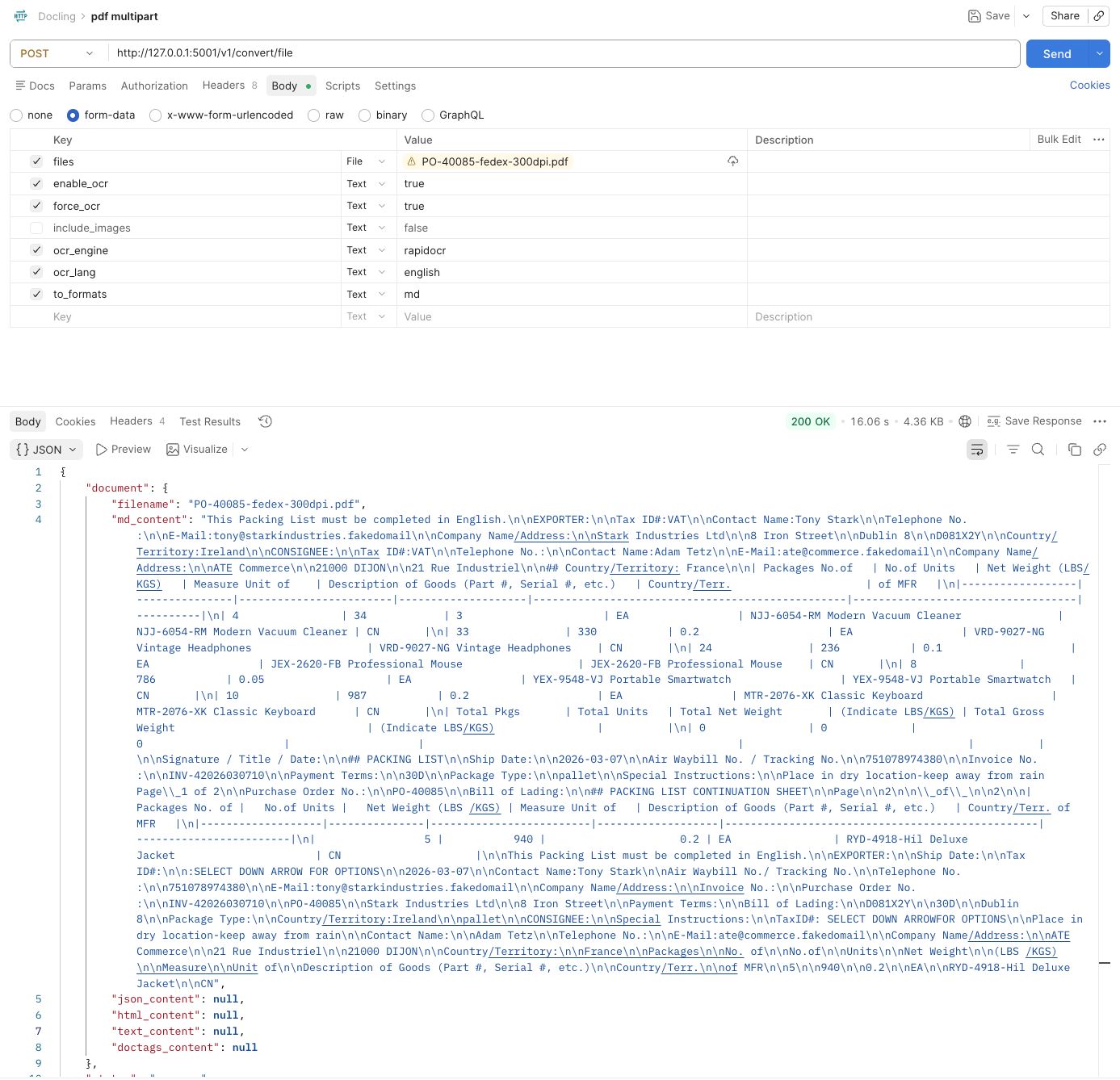
- I created a POST request to http://127.0.0.1:5001/v1/convert/file
- set the body to form-data
- Set the following key and values.
- files to the pdf file
- force_ocr to true
- ocr_engine to rapidocr
- ocr_lang to english
- to_formats to md
After some trial and error I found out that there was no official way to use the models from part 1. So I ended up changing the rapidorcr config in: /my/home/.local/pipx/venvs/docling-serve/lib/python3.13/site-packages/rapidocr/config.yaml
Relevant parts that I changed.
....
Det:
    engine_type: "onnxruntime"
    lang_type: "ch"
    model_type: "server"
    ocr_version: "PP-OCRv5"
...

Cls:
    engine_type: "onnxruntime"
    lang_type: "ch"
    model_type: "mobile"
    ocr_version: "PP-OCRv4"
...
Rec:
    engine_type: "onnxruntime"
    lang_type: "ch"
    model_type: "mobile"
    ocr_version: "PP-OCRv5"
And then I copied the local model files from part 1 to:
/my/home/.local/pipx/venvs/docling-serve/lib/python3.13/site-packages/rapidocr/models/
The workflow
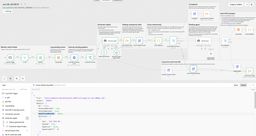
The end result of the workflow looks like this:
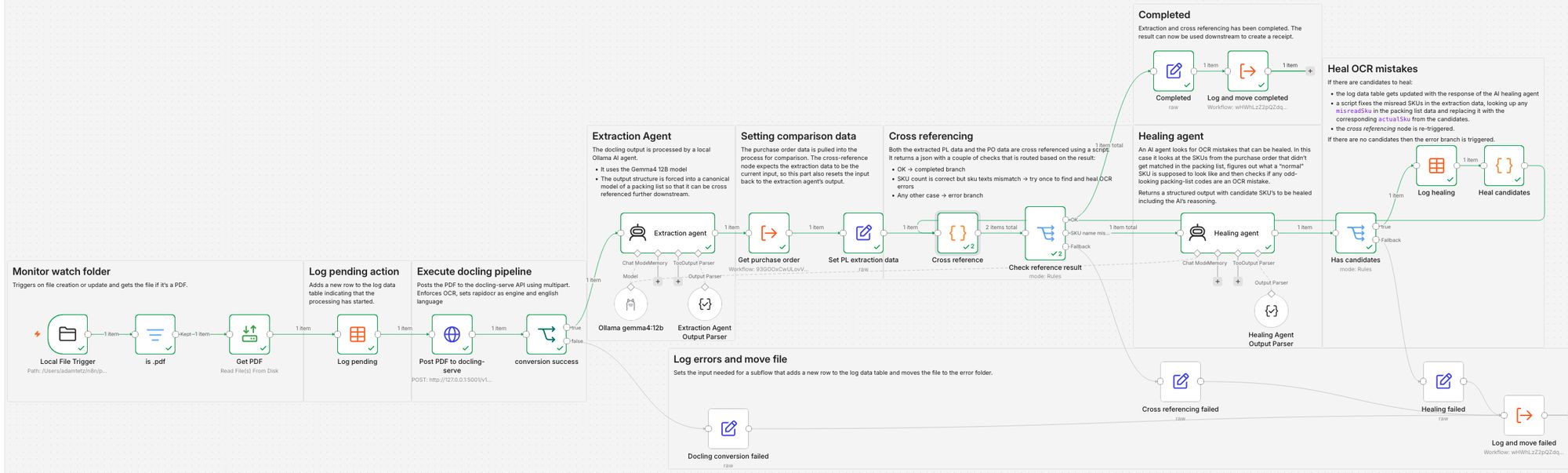
1. Monitor watch folder
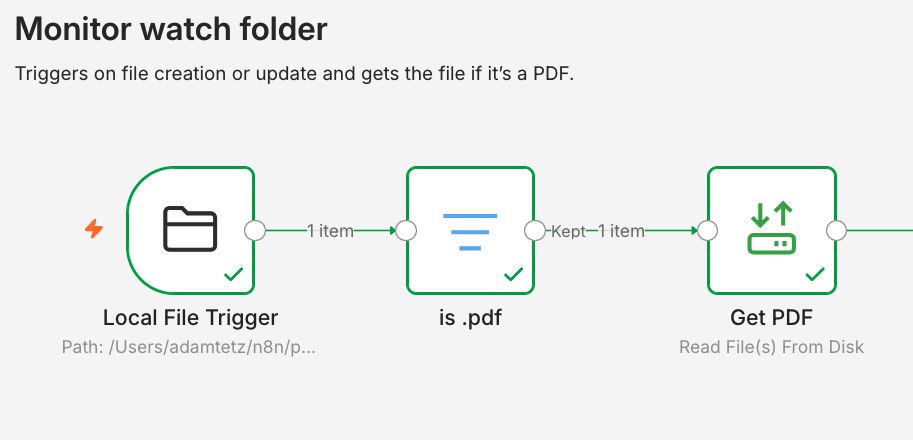
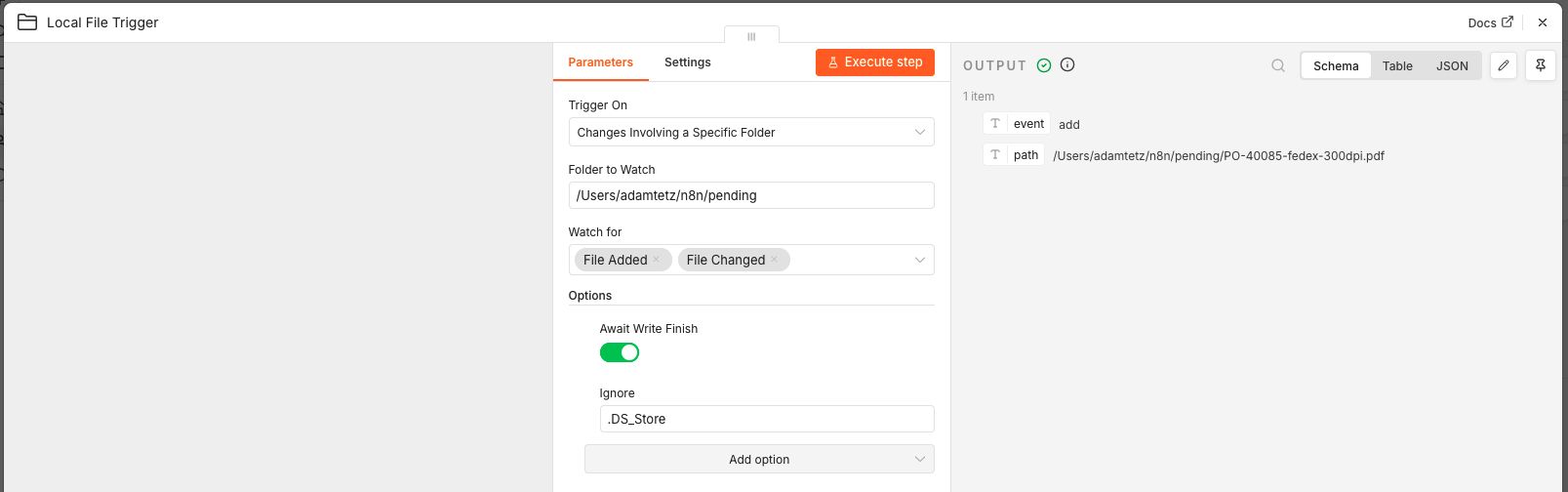
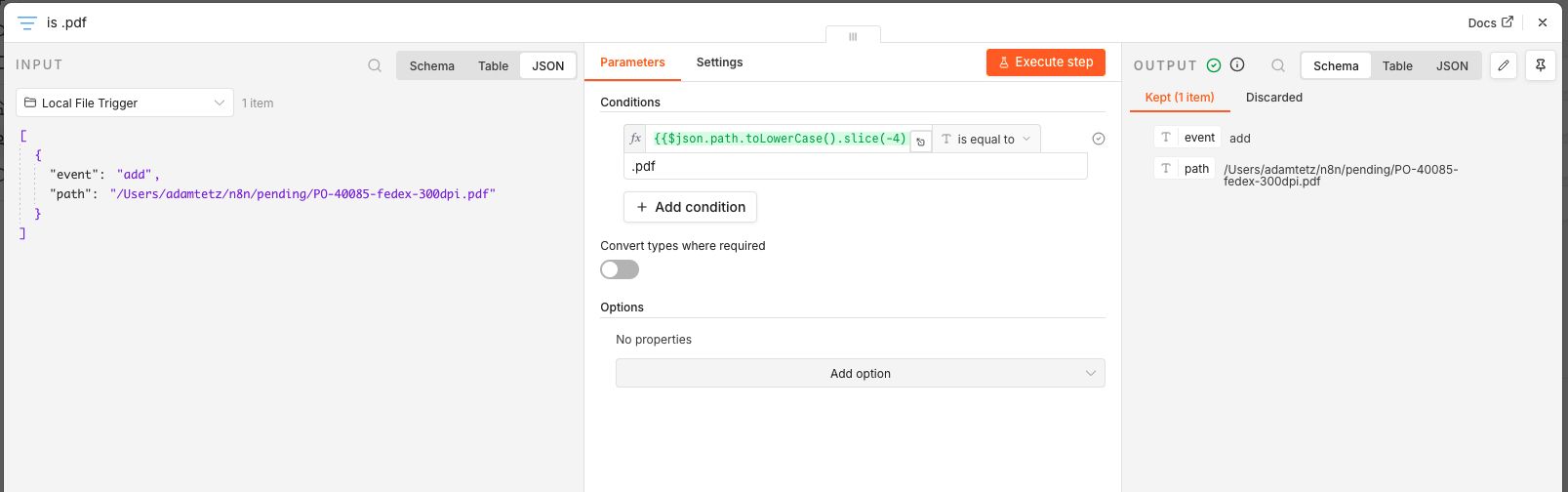
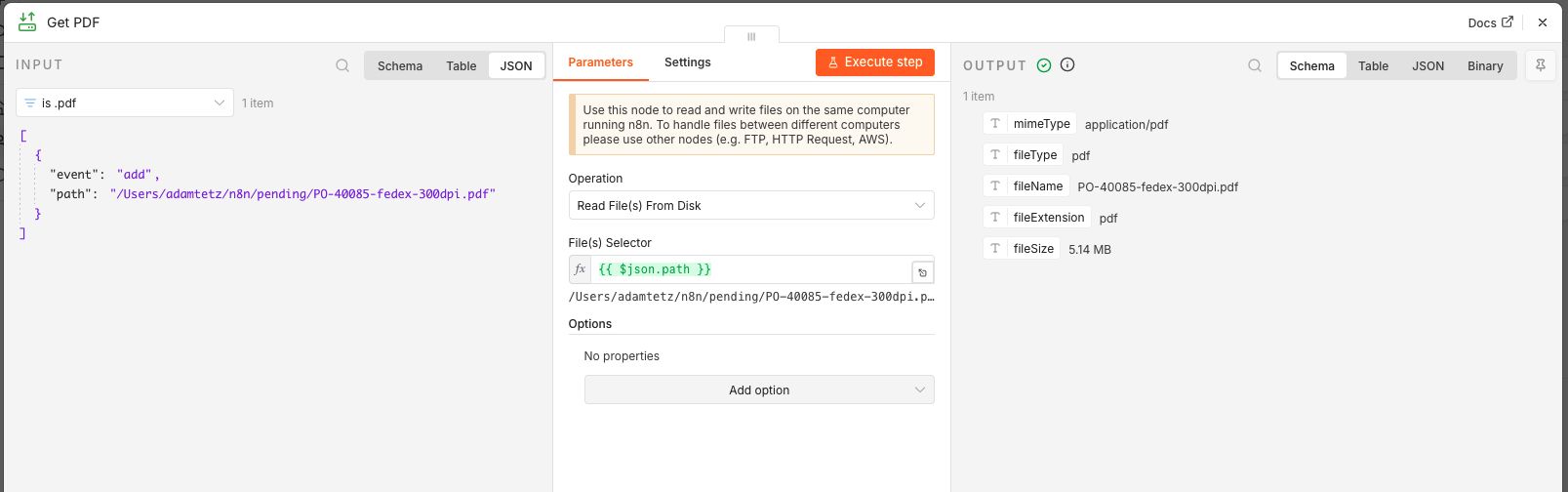
A Local file trigger node is used to monitor a path on the local filesystem. Before the file is read from the disk a filter node checks if the last 4 characters of the file path end in .pdf.
2. Log pending action
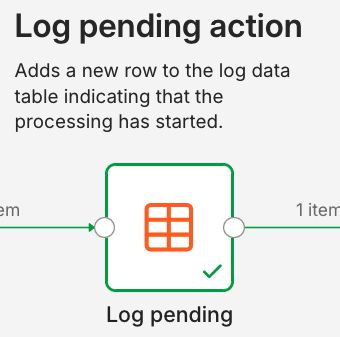
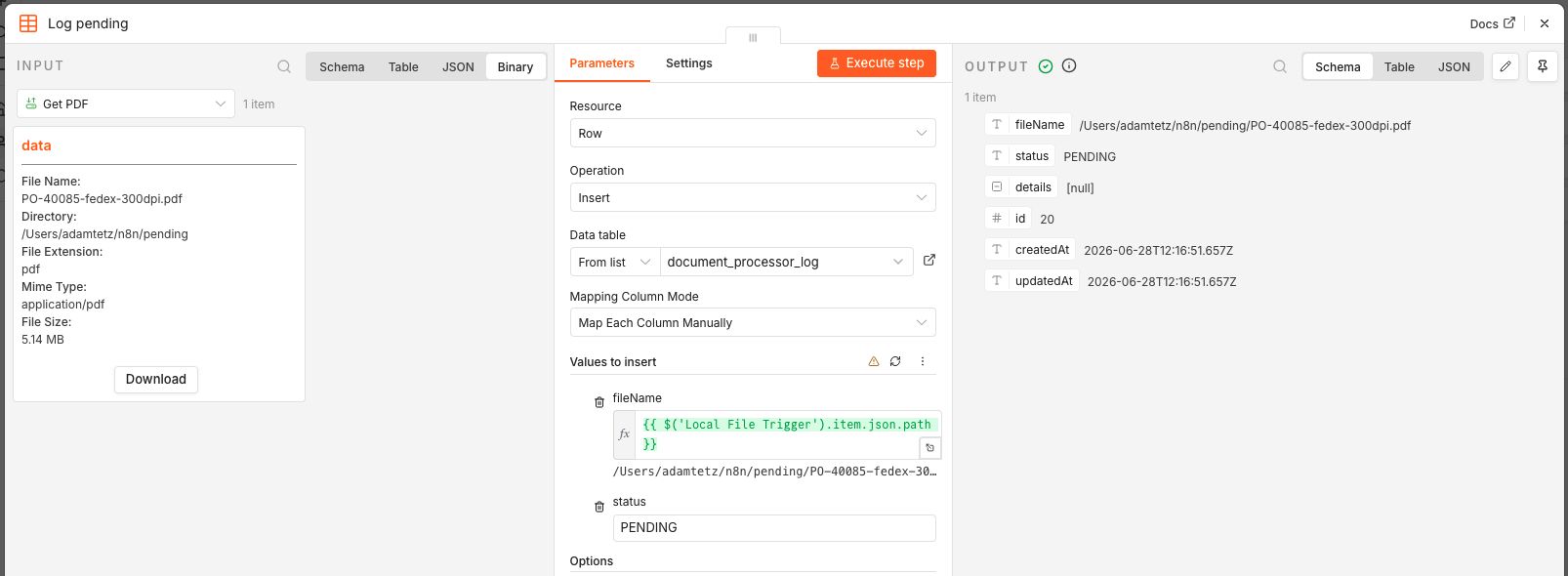
Adds a new row to the log table indicating that processing has started. The log keeps track of each file's status as it moves through the workflow:
- pending - processing started, no result yet
- healing - SKU count matched but SKU text mismatched, OCR-heal attempt in progress
- completed - done, all matched
- error - did not match, or an upstream step failed
Additional details are logged on an error. For example, the output of the failed validation step.
3. Execute docling pipeline
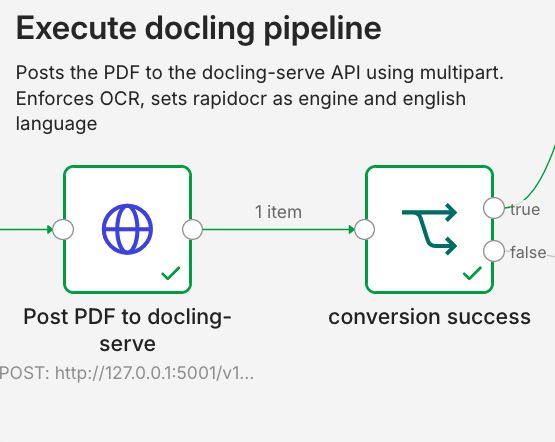
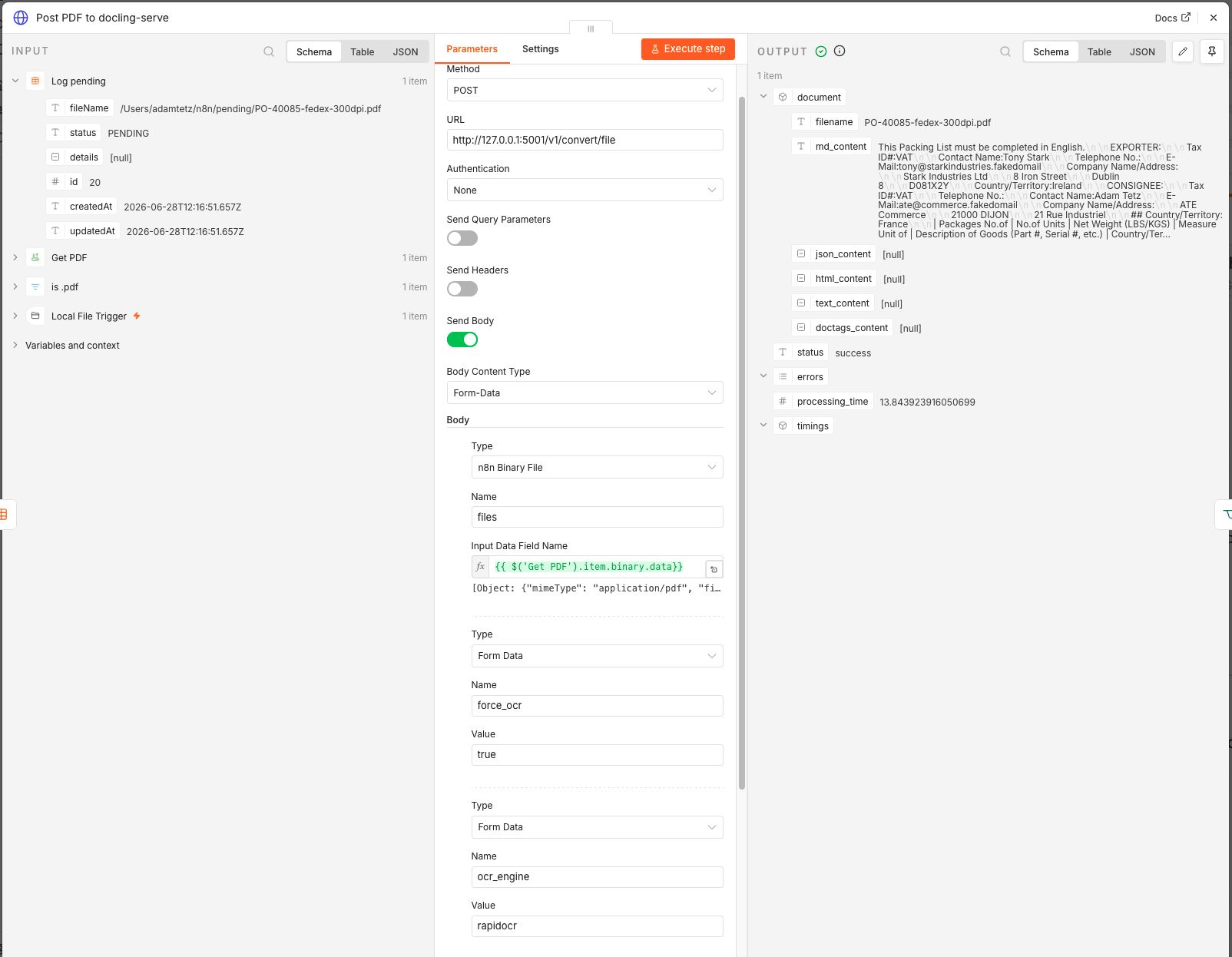
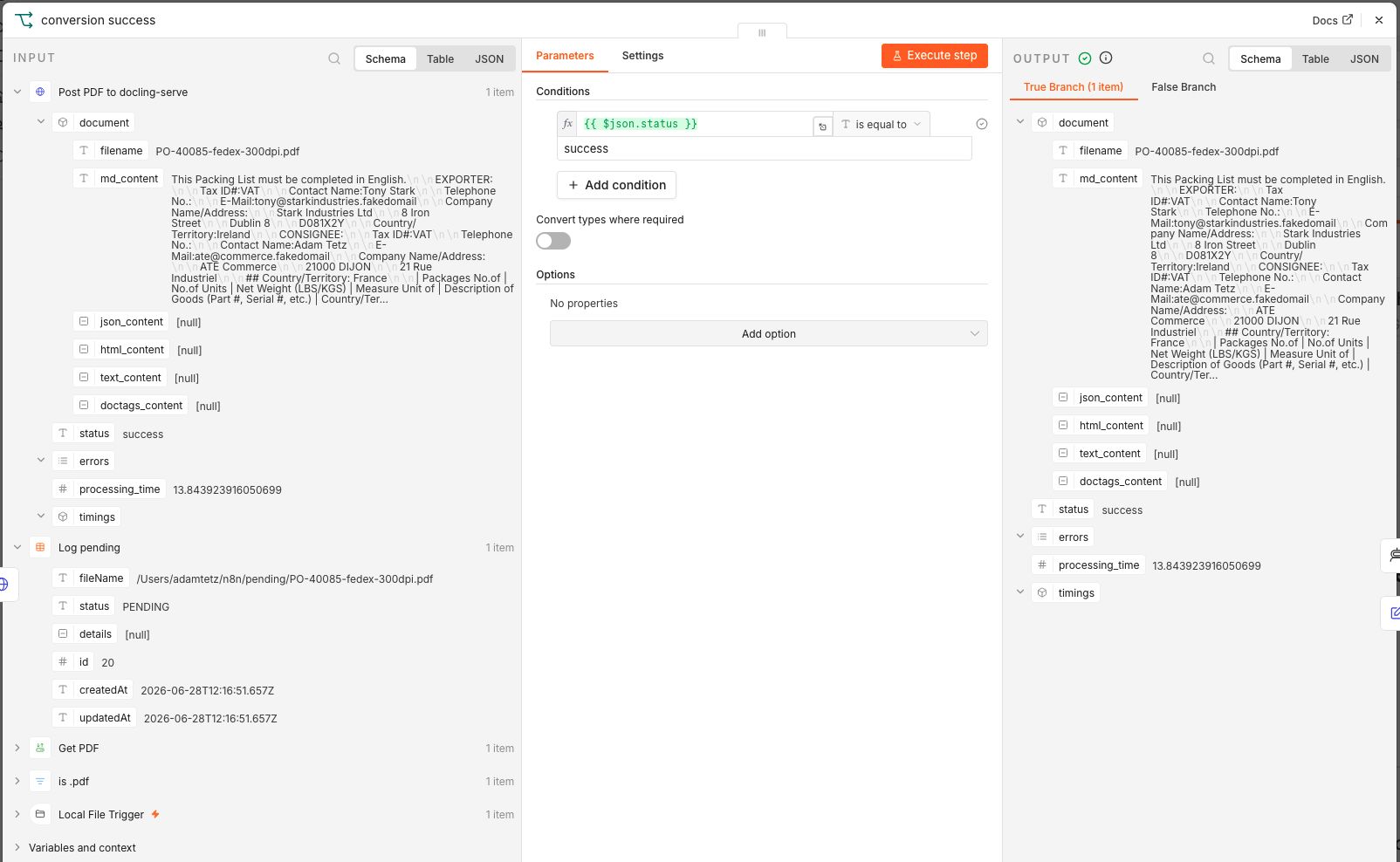
A HTTP Request node posts the PDF and field parameters to the docling-serve API using multipart. A switch node then checks if the status field in the result of the API is equal to success.
4. Extraction Agent
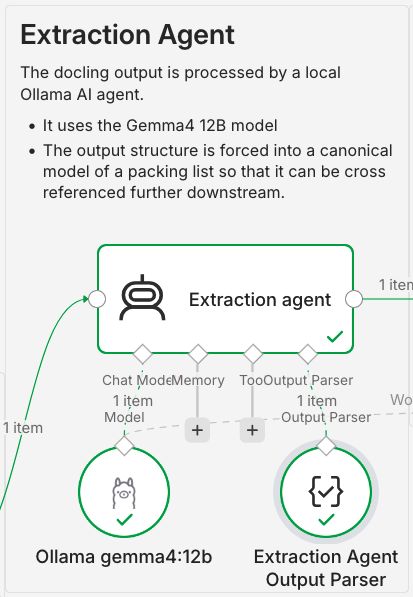
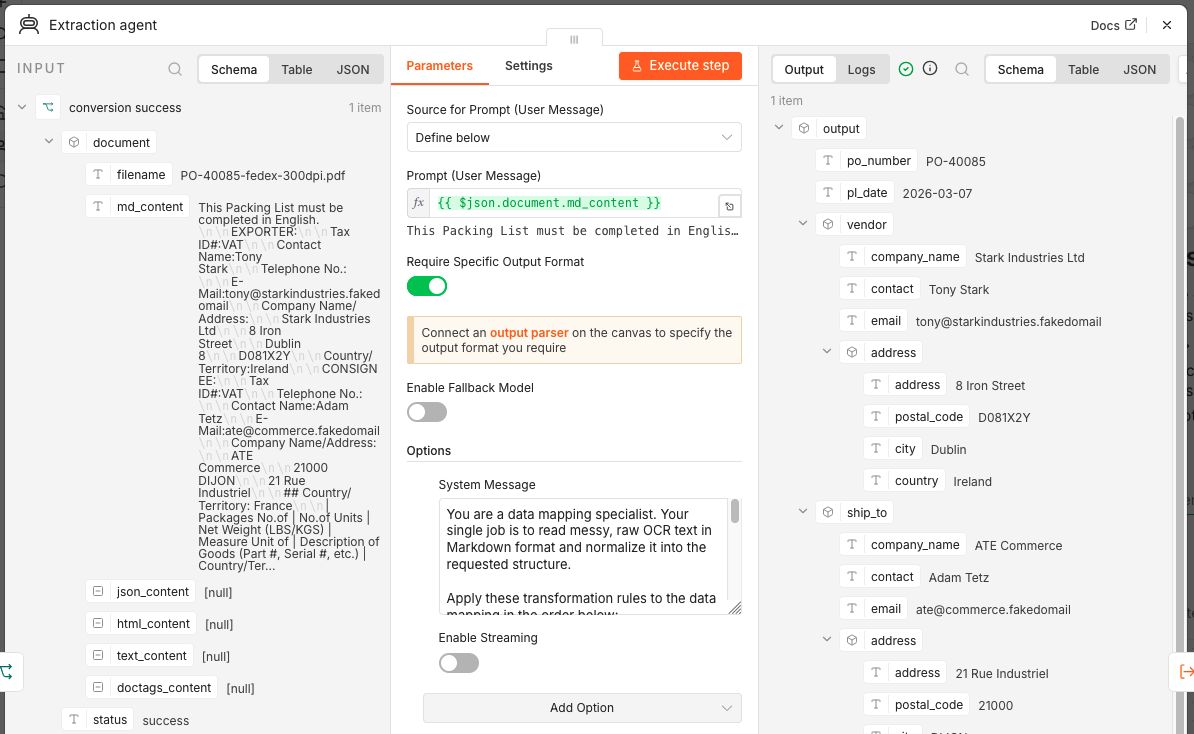
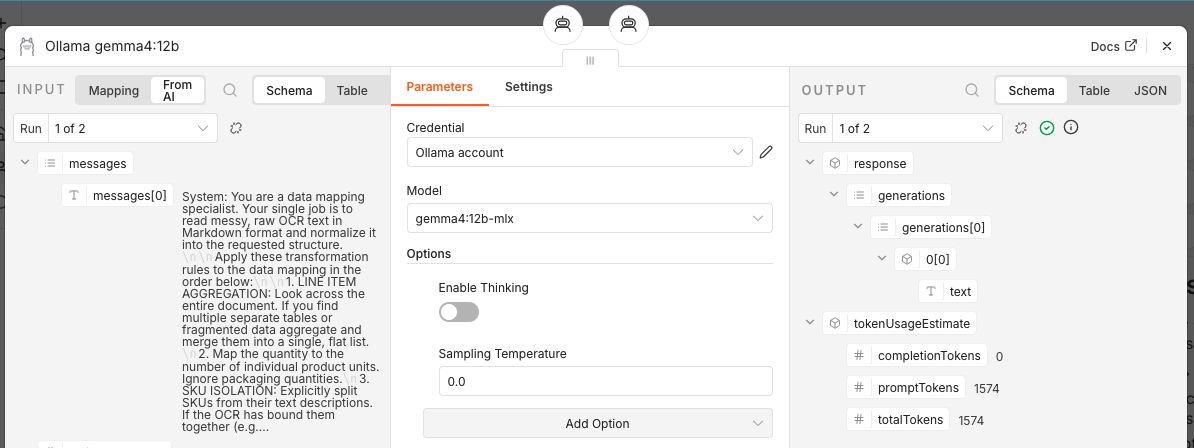
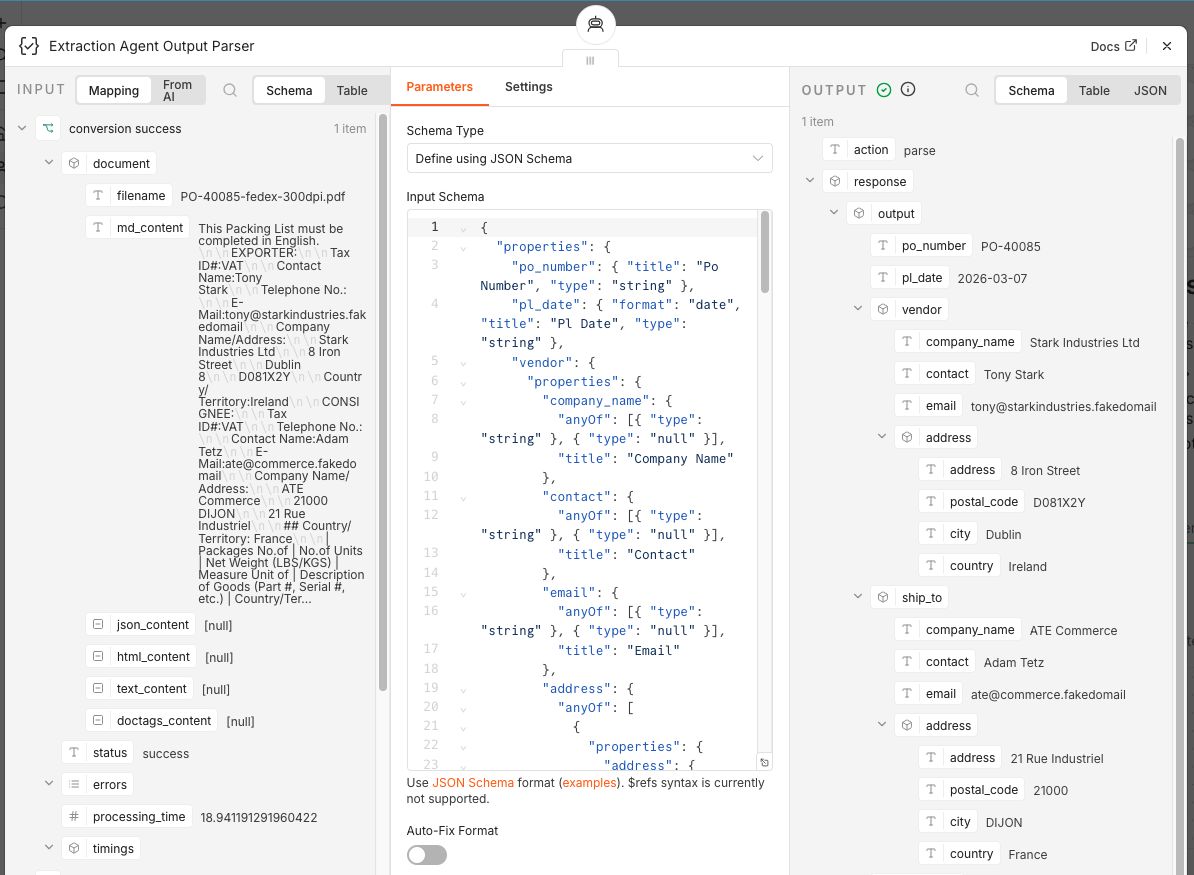
The docling output is processed by a local Ollama AI agent.
- Between part 2 and part 3 the Gemma 4 12B model was released, so I chose to use that instead.
- The system prompt (system message) of part 2 is used.
- n8n still expects a credential in the AI Agent node so I created a Ollama account credential without a secret that points to my local API
- Thinking is disabled
- Sampling Temperature is set to 0.0.
- The output parser is connected to a json schema of the canonical model which enforces the response in our packing list format. N8n does not support json reference objects in the schema so I used a small Python package called jsonref to dereference it first.
Click to show the system prompt of Part 2.
You are a data mapping specialist. Your single job is to read messy, raw OCR text in Markdown format and normalize it into the requested structure.

Apply these transformation rules to the data mapping in the order below:

1. LINE ITEM AGGREGATION: Look across the entire document. If you find multiple separate tables or fragmented data aggregate and merge them into a single, flat list.
2. Map the quantity to the number of individual product units. Ignore packaging quantities.
3. SKU ISOLATION: Explicitly split SKUs from their text descriptions. If the OCR has bound them together (e.g., 'A109-Blue Widget' or 'Widget Blue (A109)'), strip out the code and map it strictly to the SKU field, leaving only the clean name in the description field.
4. GEOGRAPHIC SPLITTING: Look at address rows. Parse and extract the city/place name from the numerical postal or ZIP code. Do not leave them combined in a single string.

You must respond in JSON. Example output:
{
"po_number": "PO-00001",
"pl_date": "2026-01-15",
"vendor": {
"company_name": "Supplies Co.",
"contact": "Jane Smith",
"email": "jane.smith@supplies.example",
"address": {
"address": "123 Commerce Ave",
"postal_code": "10001",
"city": "New York",
"country": "United States",
},
},
"ship_to": {
"company_name": "Global Retail Inc.",
"contact": "John Doe",
"email": "john.doe@globalretail.example",
"address": {
"address": "456 Distribution Blvd",
"postal_code": "75001",
"city": "Paris",
"country": "France",
},
},
"line_items": [
{"sku": "ABC-1234-XX", "description": "Sample Product A", "quantity": 100},
{"sku": "DEF-5678-YY", "description": "Sample Product B", "quantity": 250},
{"sku": "GHI-9012-ZZ", "description": "Sample Product C", "quantity": 50},
{"sku": "GHI-9012-AA", "description": "Sample Product X", "quantity": 950},
],
"notes": "Handle with care. Store in a cool, dry place.",
}
5. Setting comparison data
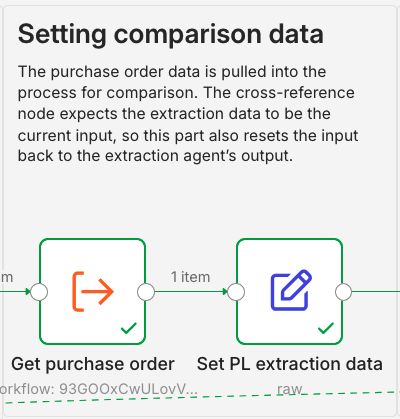
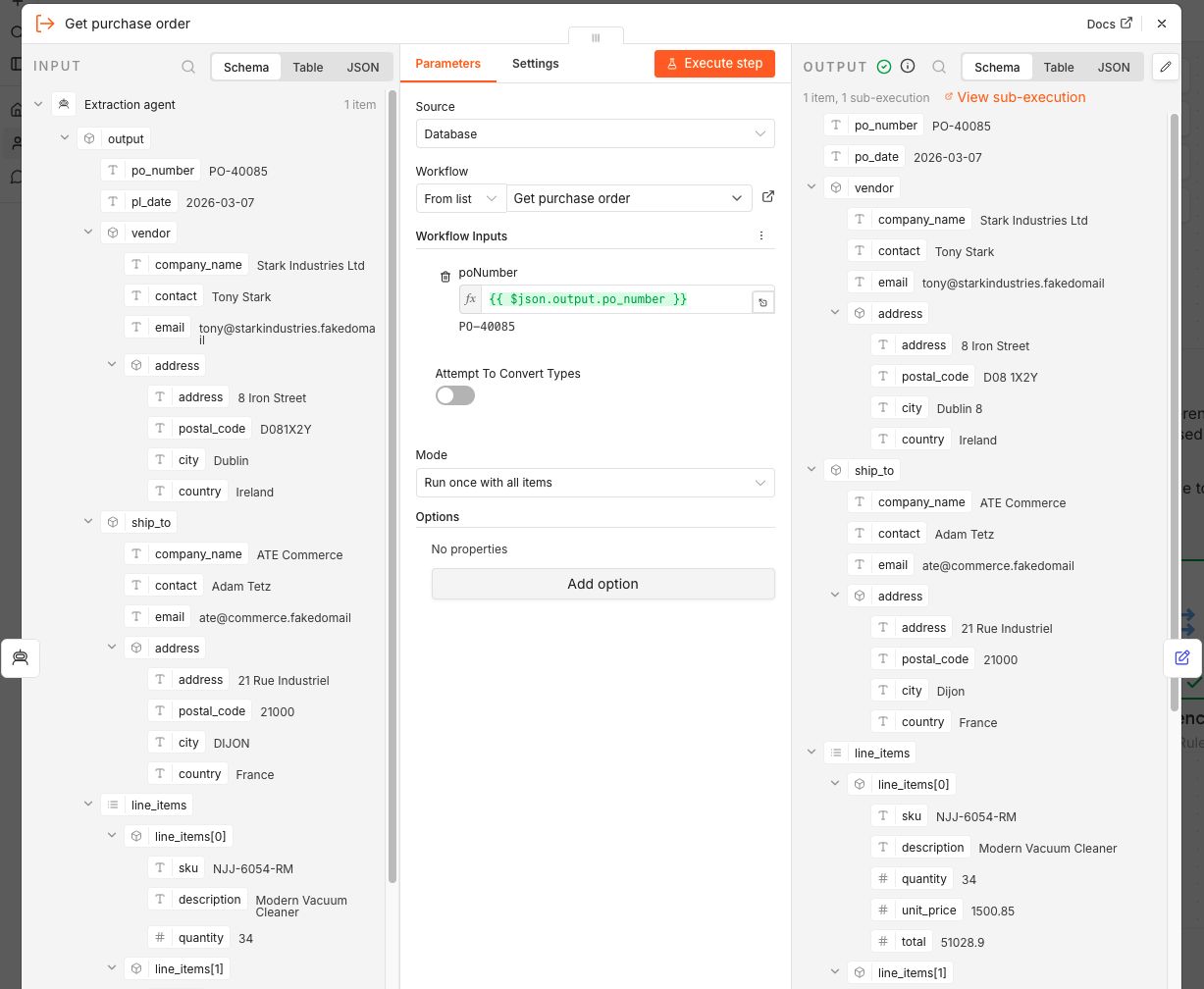
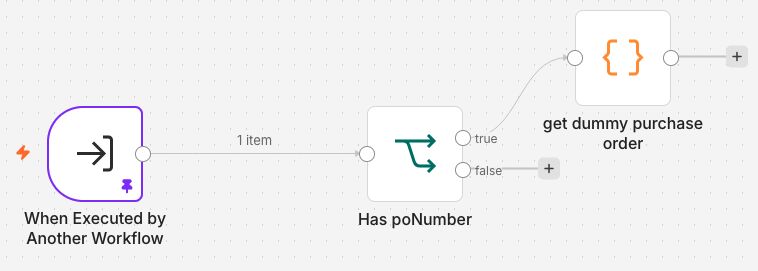
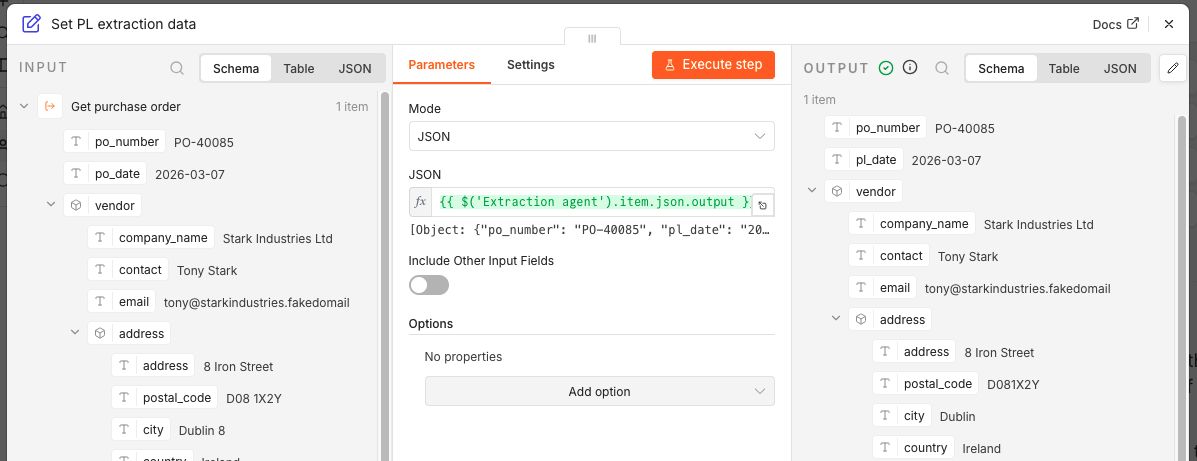
The purchase order data is pulled into the process for comparison. The cross-reference node expects the extraction data to be the current input, so this part also resets the input back to the extraction agent's output.
6. Cross referencing
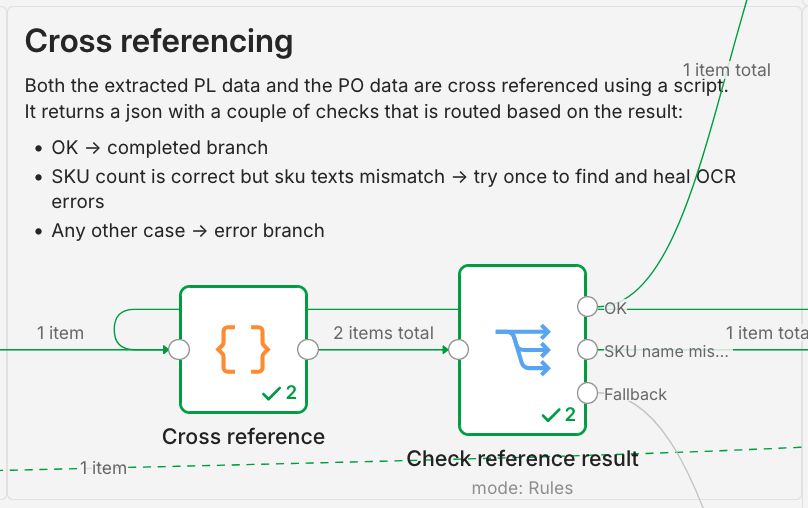
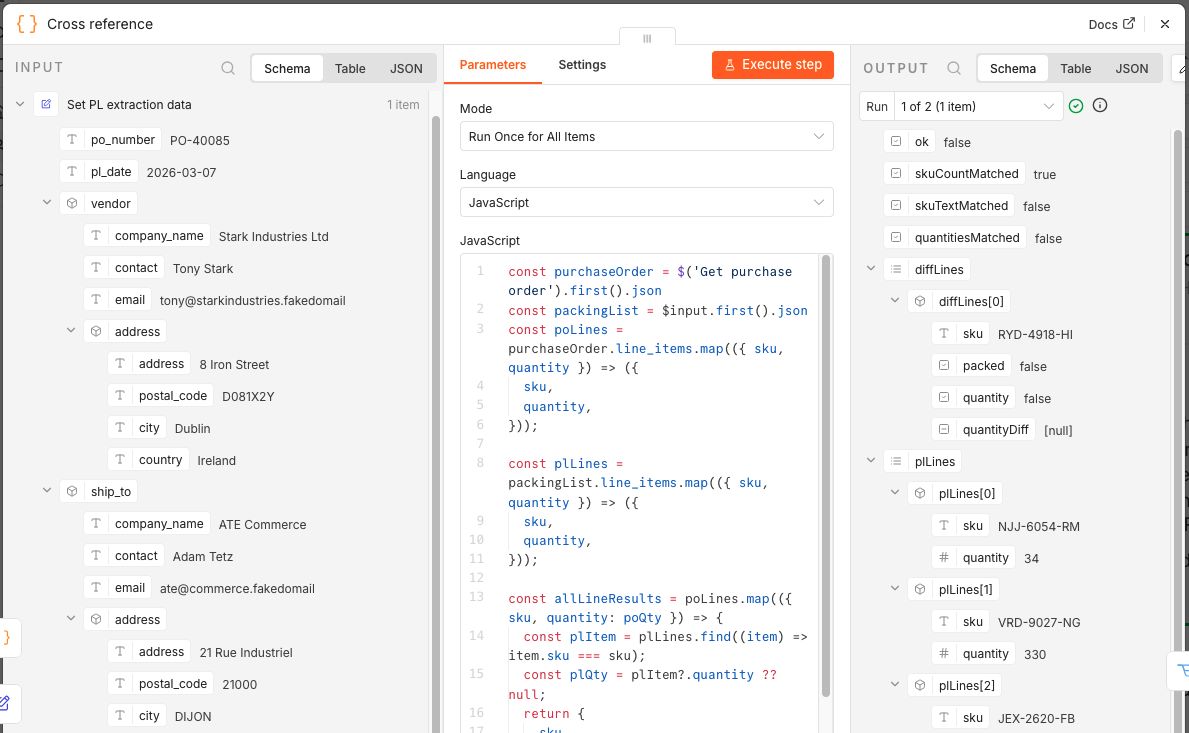
Both the extracted PL data and the PO data are cross referenced using a script.
Click to show script.
const purchaseOrder = $("Get purchase order").first().json;
const packingList = $input.first().json;
const poLines = purchaseOrder.line_items.map(({ sku, quantity }) => ({
  sku,
  quantity,
}));

const plLines = packingList.line_items.map(({ sku, quantity }) => ({
  sku,
  quantity,
}));

const allLineResults = poLines.map(({ sku, quantity: poQty }) => {
  const plItem = plLines.find((item) => item.sku === sku);
  const plQty = plItem?.quantity ?? null;
  return {
    sku,
    packed: plQty != null,
    quantity: plQty === poQty,
    quantityDiff: plQty == null ? null : poQty - plQty,
  };
});

const filteredLines = allLineResults.filter(
  (line) => !line.packed || !line.quantity,
);

const skuCountMatched = poLines.length === plLines.length;
const skuTextMatched = allLineResults.every((item) => item.packed);
const quantitiesMatched = allLineResults.every((item) => item.quantity);

return [
  {
    ok: skuCountMatched && skuTextMatched && quantitiesMatched,
    skuCountMatched,
    skuTextMatched,
    quantitiesMatched,
    diffLines: filteredLines,
    plLines,
    poLines,
  },
];
It returns a json with the following elements:
- ok: boolean indicating that the result was ok
- skuCountMatched: boolean indicating that the PO and PL have the same amount of SKUs
- skuTextMatched: boolean indicating that the text of the SKUs match
- quantitiesMatched: boolean indicating that the quantities per SKUs match
- diffLines: an array of the PO lines that aren't matched. It will show if the sku is packed (text matches), quantity matches. If the quantity does not match it will show the difference.
- poLines: an array of the processed PO lines
- plLines: an array of the processed PL lines
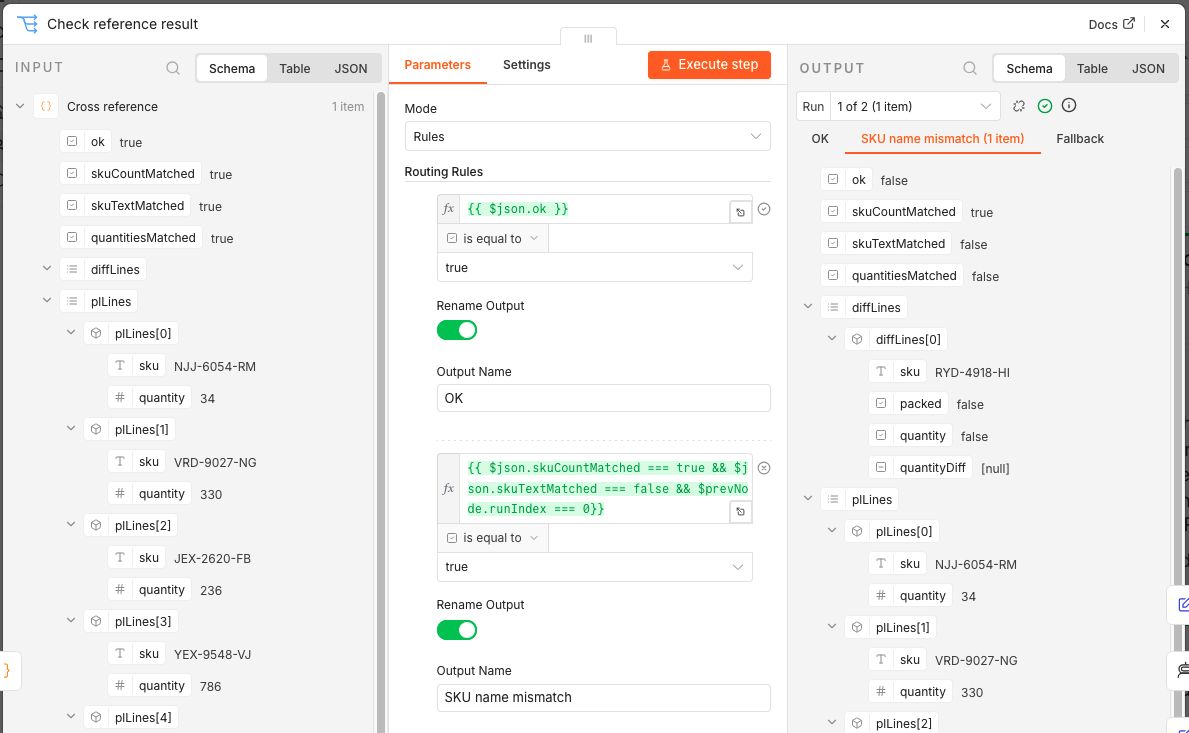
Then the result is routed as follows:
- OK -> completed branch
- SKU count is correct but SKUs mismatch -> try once to find and heal OCR errors
- Here I use
&& $prevNode.runIndex === 0in the filter to enforce that the healing branch can only be triggered once.
- Here I use
- Any other result -> error branch
For example:
{
  "ok": false,
  "skuCountMatched": true,
  "skuTextMatched": false,
  "quantitiesMatched": false,
  "diffLines": [
    {
      "sku": "RYD-4918-HI",
      "packed": false,
      "quantity": false,
      "quantityDiff": null
    }
  ],
  "plLines": [
    {
      "sku": "NJJ-6054-RM",
      "quantity": 34
    },
    {
      "sku": "VRD-9027-NG",
      "quantity": 330
    },
    {
      "sku": "JEX-2620-FB",
      "quantity": 236
    },
    {
      "sku": "YEX-9548-VJ",
      "quantity": 786
    },
    {
      "sku": "MTR-2076-XK",
      "quantity": 987
    },
    {
      "sku": "RYD-4918-Hil",
      "quantity": 940
    }
  ],
  "poLines": [
    {
      "sku": "NJJ-6054-RM",
      "quantity": 34
    },
    {
      "sku": "VRD-9027-NG",
      "quantity": 330
    },
    {
      "sku": "JEX-2620-FB",
      "quantity": 236
    },
    {
      "sku": "YEX-9548-VJ",
      "quantity": 786
    },
    {
      "sku": "MTR-2076-XK",
      "quantity": 987
    },
    {
      "sku": "RYD-4918-HI",
      "quantity": 940
    }
  ]
}
In the output above there is an OCR mistake for SKU RYD-4918-HI so it will be routed on to the healing agent.
7. Healing agent
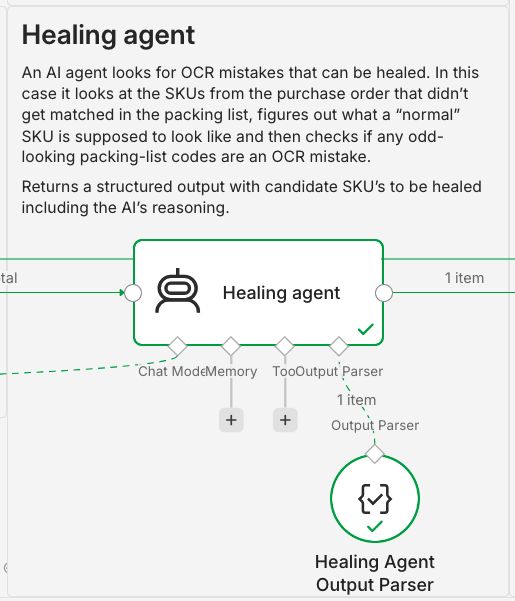
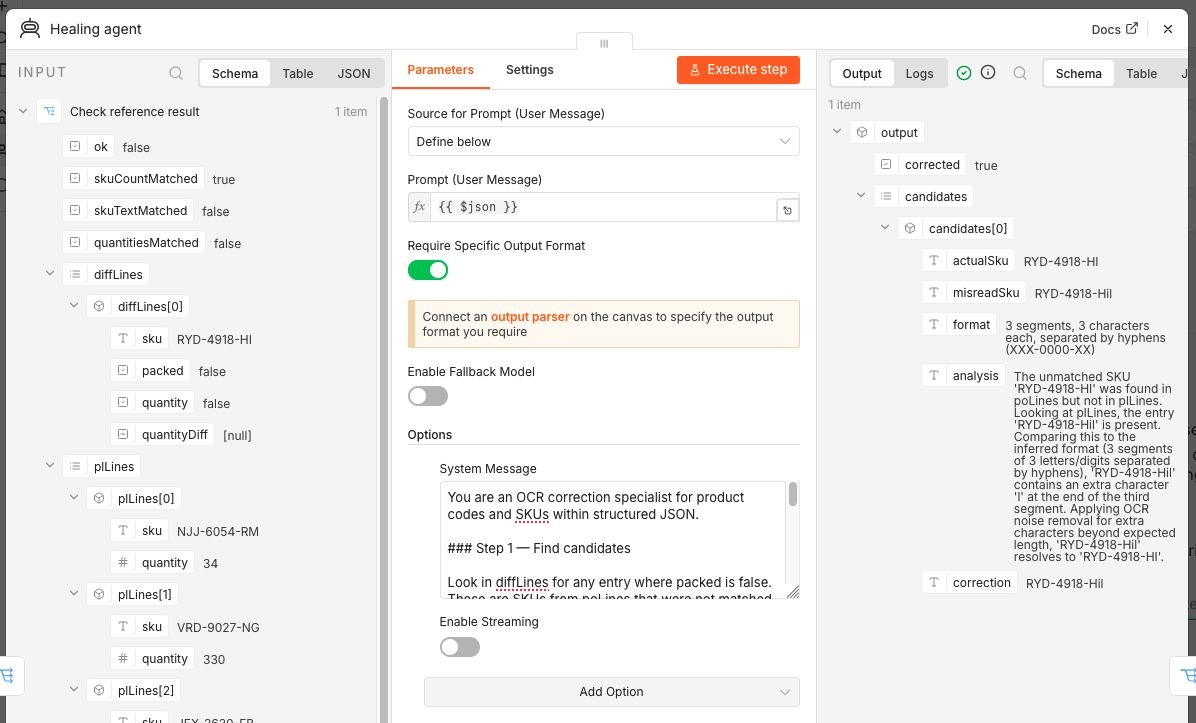
An AI agent looks for OCR mistakes that can be healed. In this case it looks at the SKUs from the purchase order that didn't get matched in the packing list, figures out what a normal SKU is supposed to look like and then checks if any odd-looking packing-list codes are an OCR mistake.
It uses the same model as the Extraction Agent but with a different system prompt:
You are an OCR correction specialist for product codes and SKUs within structured JSON.

### Step 1 — Find candidates

Look in diffLines for any entry where packed is false.
These are SKUs from poLines that were not matched in plLines.
Each one is a candidate for an OCR error in plLines — the SKU may be present
but under a corrupted key.

Collect the list of unmatched SKUs. If none exist, set corrected to false and stop.
Split into actualSku (the correct PO SKU) and misreadSku (the corrupted key found in plLines)

### Step 2 — Infer the SKU format

Using all codes visible across poLines and plLines together, identify the consistent
pattern: segment count, separators, character class per segment (alpha / digit /
alphanumeric), length per segment, casing convention.
State the inferred format explicitly. Do not assume any format in advance.

### Step 3 — Find the corrupted key in plLines

For each unmatched SKU from Step 1:

- Scan plLines for a key that is close to the expected SKU but deviates from the
  inferred format (wrong length, wrong character class in a segment, mixed casing,
  extra noise characters)
- Apply OCR substitution rules to see if that key resolves to the unmatched SKU:

  Letters misread as digits (apply in digit segments):
  O→0 I→1 l→1 S→5 B→8 G→6 Z→2 g→9 q→9

  Digits misread as letters (apply in alpha segments):
  0→O 1→I 5→S 8→B 6→G 2→Z

  Noise / merge errors:
  Extra characters beyond expected segment length → remove
  rn where m fits → merge
  vv where w fits → merge

- If a corrupted key heals to exactly the unmatched SKU, it is a confirmed OCR error.
- If no candidate is found in plLines, the item may be genuinely missing — flag as corrected false and stop.
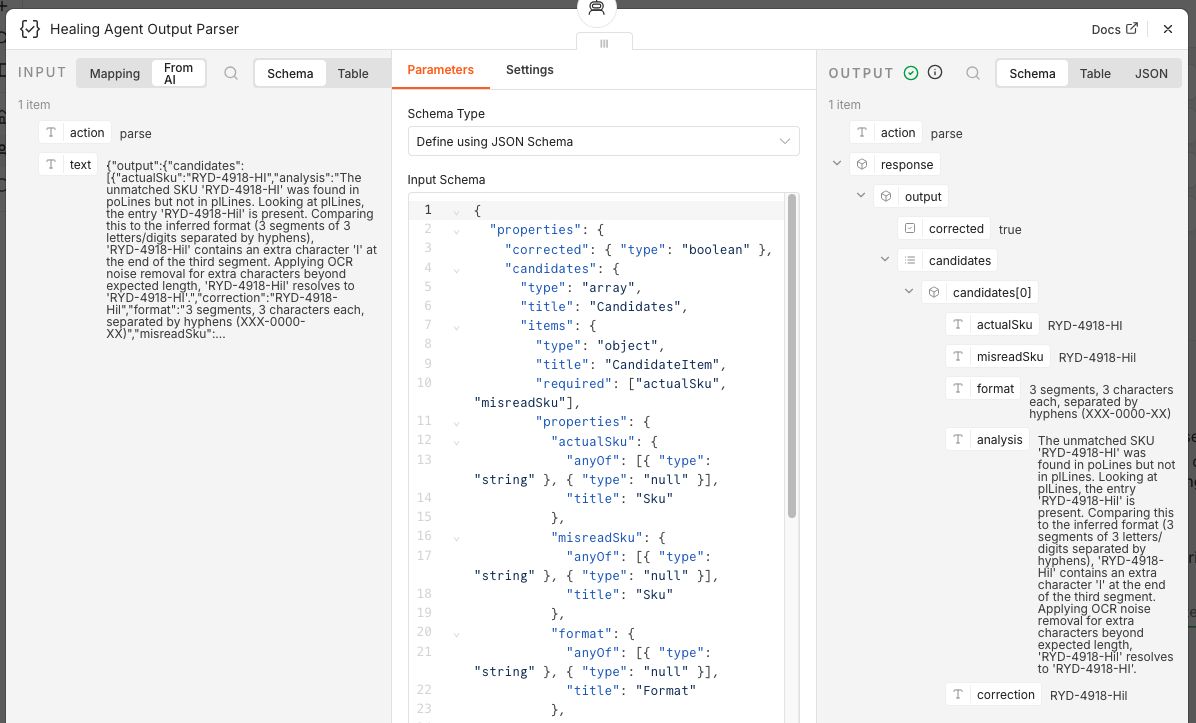
And it returns a structured output with candidate SKU's to be healed including the AI's reasoning. The reasoning behind this is twofold. First I like to use the AI for classification and extraction so that I can can process the output with validation / business rules in a deterministic way. Second, since this is an experimental example, I'd like to keep the AI's reasoning and output so that this can be used in the future to further improve the process.
An example response:
{
  "output": {
    "corrected": true,
    "candidates": [
      {
        "actualSku": "RYD-4918-HI",
        "misreadSku": "RYD-4918-Hil",
        "format": "3 letters - 4 digits - 2 letters (e.g., ABC-1234-DE)",
        "analysis": "The unmatched SKU 'RYD-4918-HI' was found in poLines but not in plLines. Looking at the plLines, there is a key 'RYD-4918-Hil'. The format for all SKUs in this set is 3 letters - 4 digits - 2 letters (e.g., NJJ-6054-RM). The entry 'RYD-4918-Hil' contains an extra 'l' at the end of the final segment, which is a common OCR noise/merge error. Applying the rule to remove extra characters beyond expected segment length results in 'RYD-4918-HI'.",
        "correction": "RYD-4918-Hil -> RYD-4918-HI"
      }
    ]
  }
}
8. Heal OCR mistakes
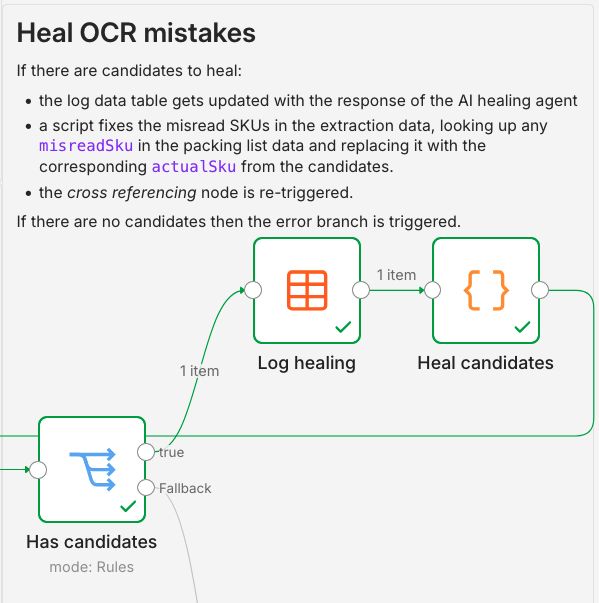
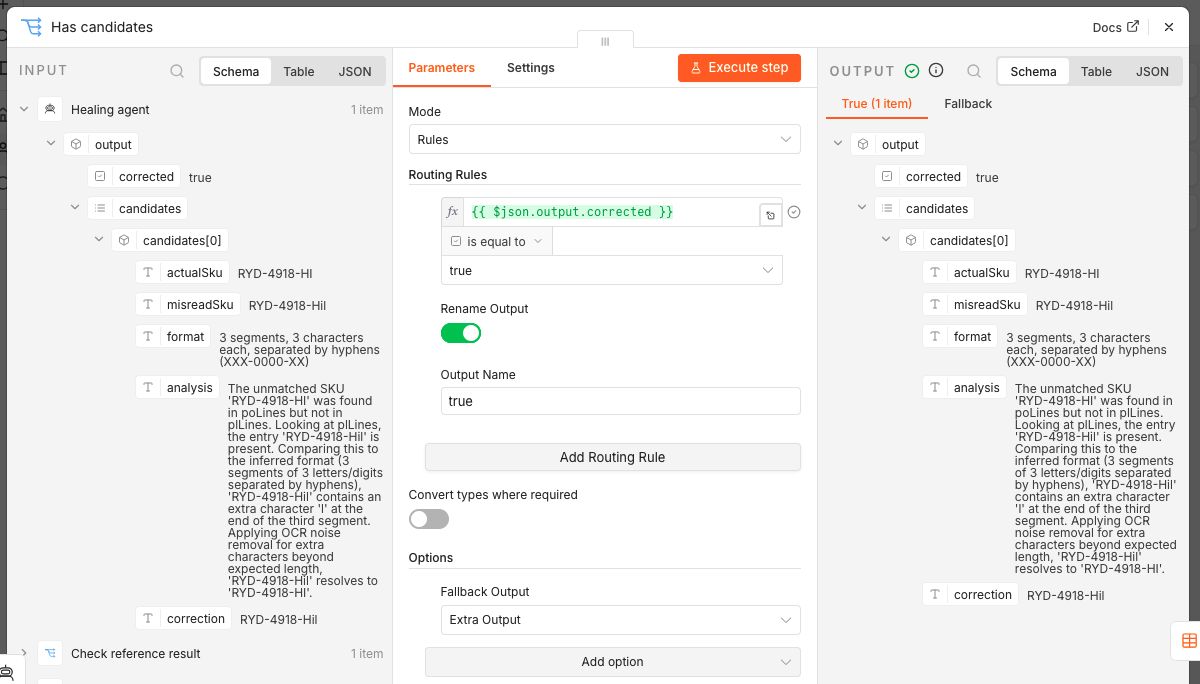
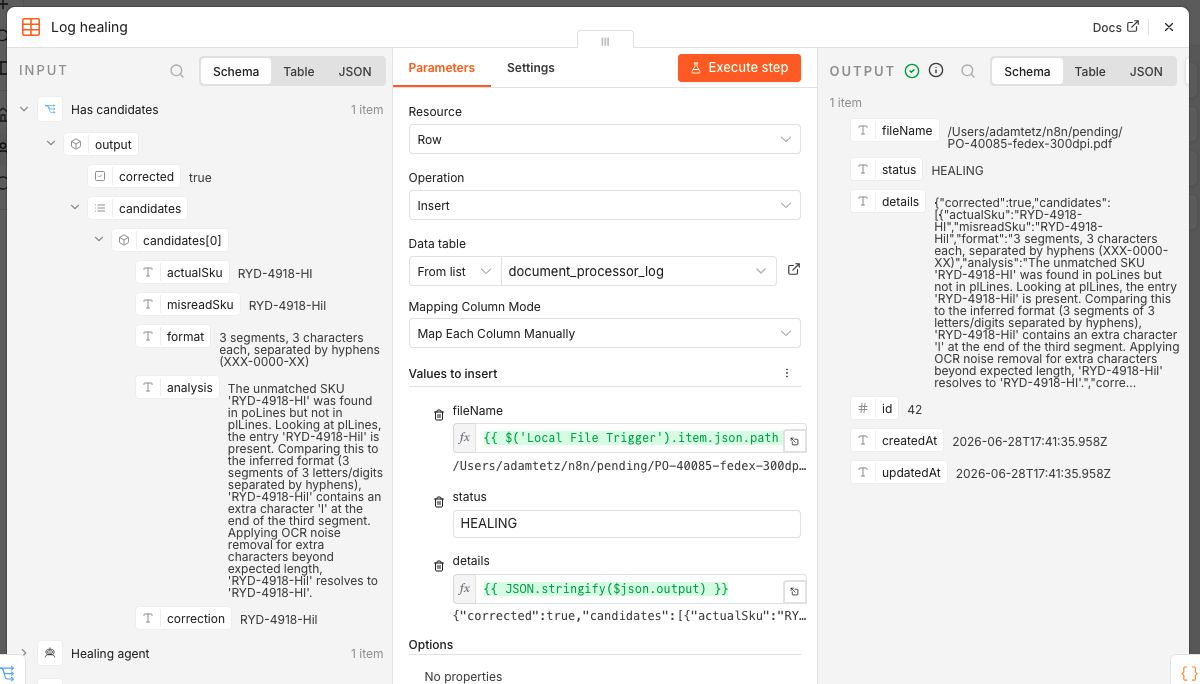
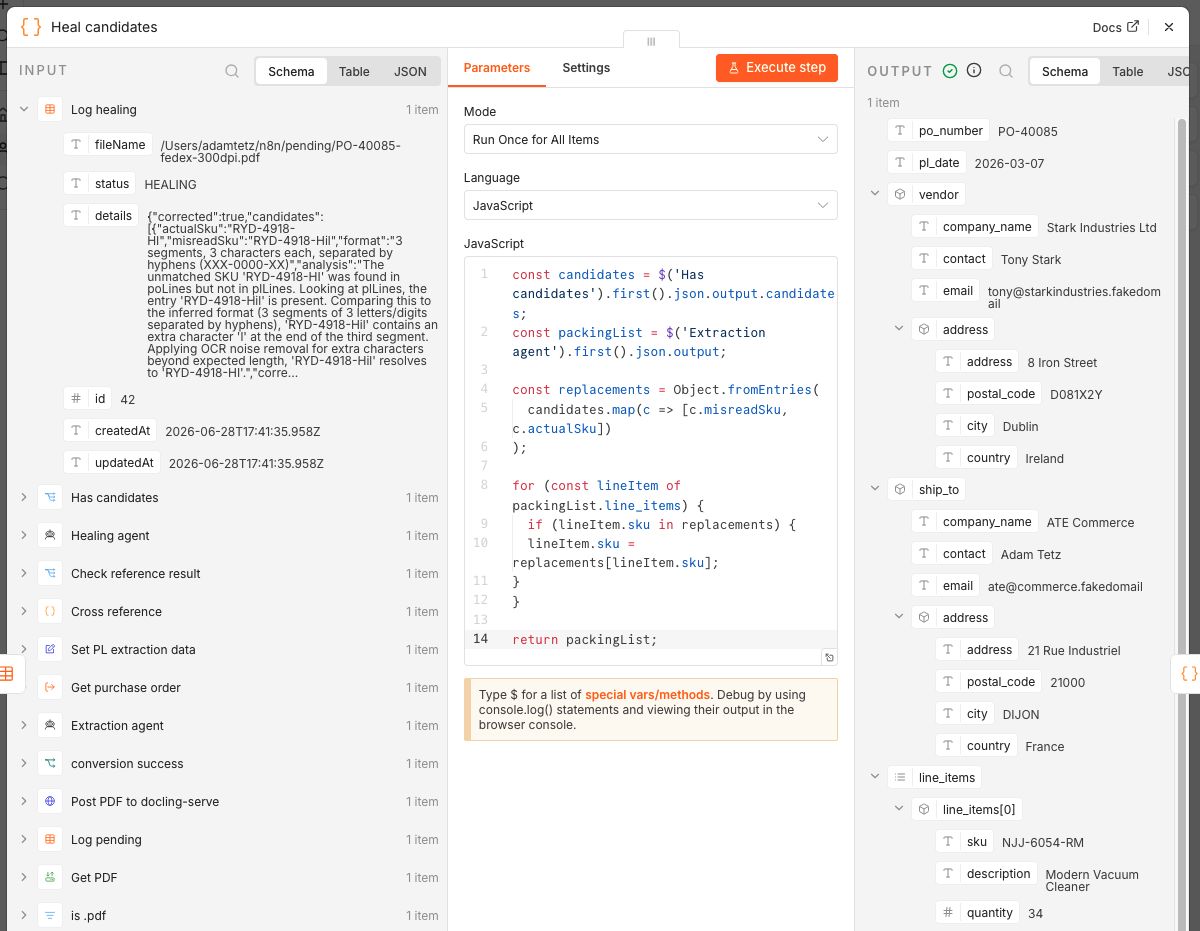
If there are candidates to heal:
- the log data table gets updated with the response of the AI healing agent
- a script fixes the misread SKUs in the extracted packing list data by looking up any
misreadSkuin the packing list and replacing it with the correspondingactualSkufrom the candidates. - the cross referencing node is re-triggered. If there are no candidates then the error branch is triggered.
Going on with the previous example, RYD-4918-Hil will be replaced with RYD-4918-HI in the extracted packing list:
{
  "po_number": "PO-40085",
  "pl_date": "2026-03-07",
  "vendor": {
    "company_name": "Stark Industries Ltd",
    "contact": "Tony Stark",
    "email": "tony@starkindustries.fakedomail",
    "address": {
      "address": "8 Iron Street",
      "postal_code": "D081X2Y",
      "city": "Dublin",
      "country": "Ireland"
    }
  },
  "ship_to": {
    "company_name": "ATE Commerce",
    "contact": "Adam Tetz",
    "email": "ate@commerce.fakedomail",
    "address": {
      "address": "21 Rue Industriel",
      "postal_code": "21000",
      "city": "DIJON",
      "country": "France"
    }
  },
  "line_items": [
    {
      "sku": "NJJ-6054-RM",
      "description": "Modern Vacuum Cleaner",
      "quantity": 34
    },
    {
      "sku": "VRD-9027-NG",
      "description": "Vintage Headphones",
      "quantity": 330
    },
    {
      "sku": "JEX-2620-FB",
      "description": "Professional Mouse",
      "quantity": 236
    },
    {
      "sku": "YEX-9548-VJ",
      "description": "Portable Smartwatch",
      "quantity": 786
    },
    {
      "sku": "MTR-2076-XK",
      "description": "Classic Keyboard",
      "quantity": 987
    },
    {
      "sku": "RYD-4918-HI",
      "description": "Deluxe Jacket",
      "quantity": 940
    }
  ],
  "notes": "Place in dry location-keep away from rain"
}
9. Completed
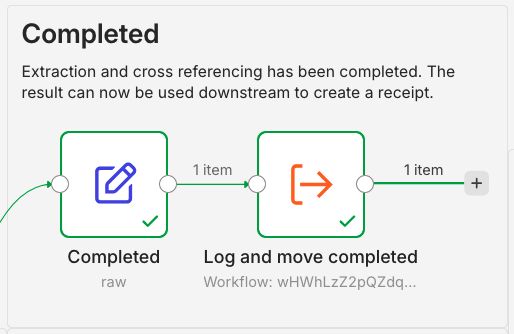
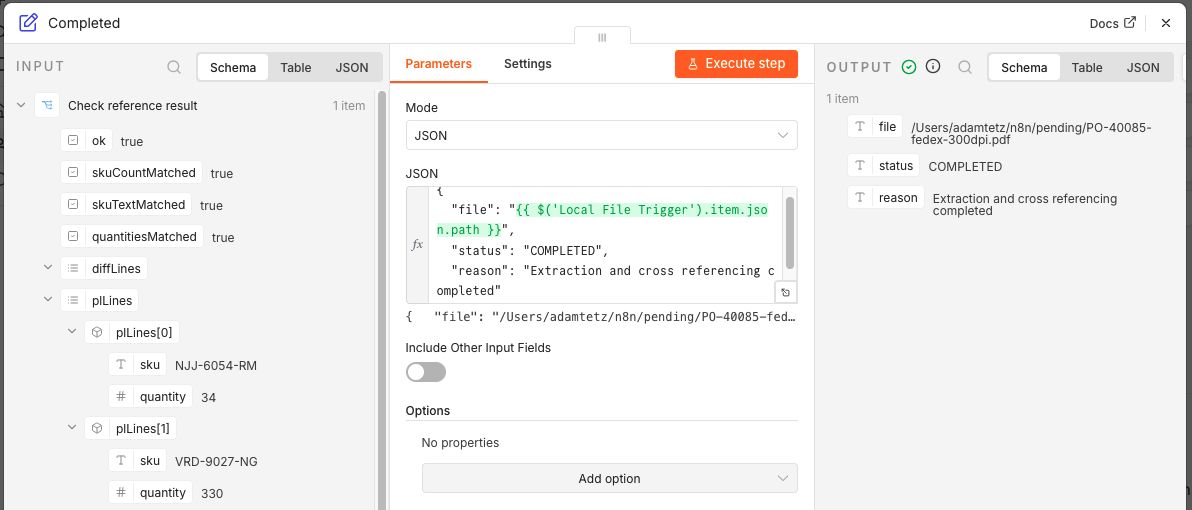
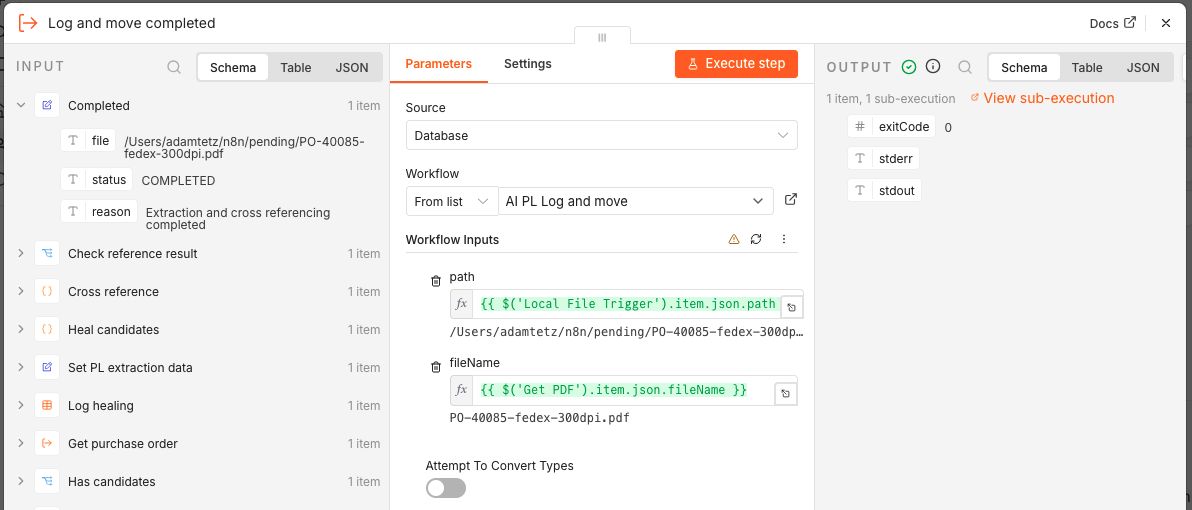
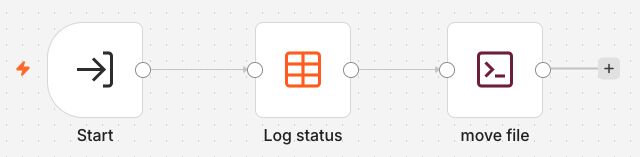
Extraction and cross referencing has been completed and the result can now be used downstream to create a goods receipt. The completion is logged and the file is moved to the completed folder using a two part log and move mechanism.
- Sets the data needed for the log: file path, status and details.
- Triggers a sub-workflow that updates the data table and moves the file using an Execute Command node.
Log errors and move file
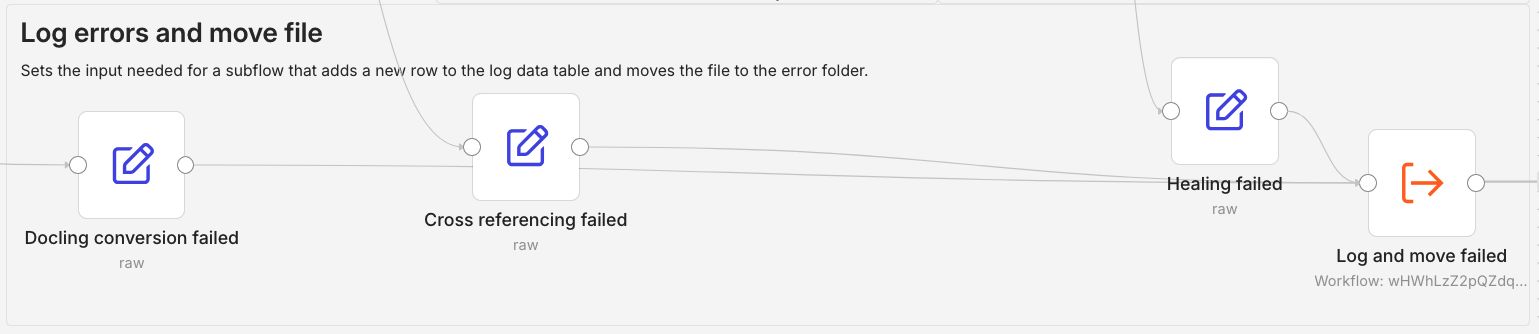
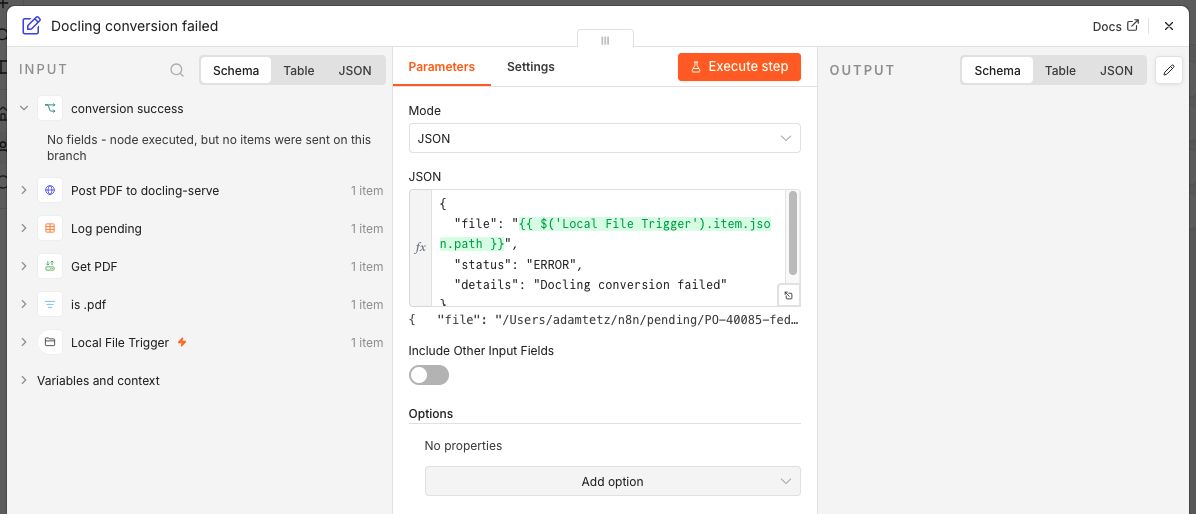
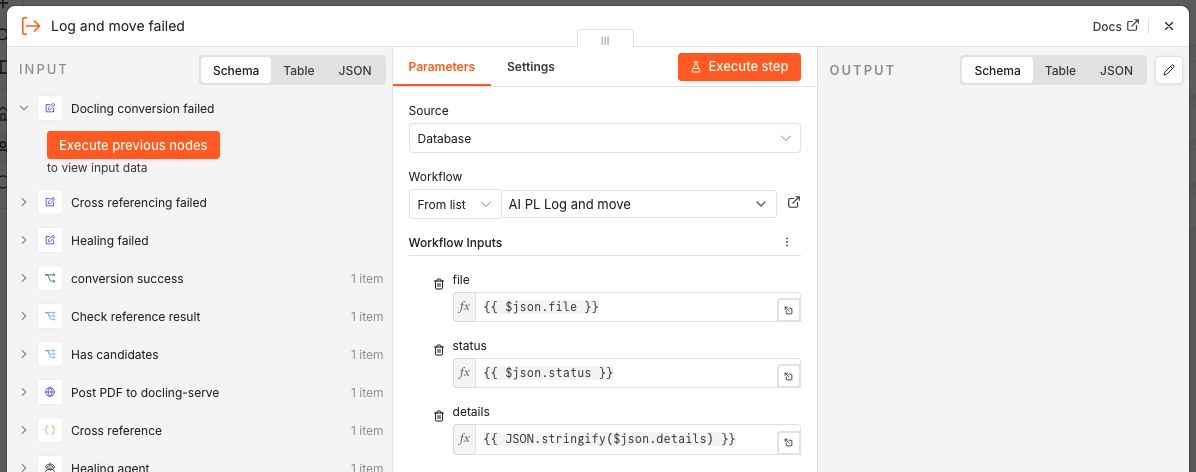
In case of any validation / rule error the workflow is routed to Log errors and move file using the same log and move mechanism as above.
Giving it a spin
Let's test out the 4 files from part 1.
-
1 page packing list for ACME Corp Europe (PO-33959-singlepage-ups-300dpi.pdf)
-
2 page packing list for ACME Corp Europe (PO-26076-multipage-ups-300DPI.pdf)
-
2 page packing list for ACME with some errors (PO-26076-multipage-err-ups-300dpi.pdf)
-
2 page packing list for Stark Industries Ltd (PO-40085-fedex-300dpi.pdf)
Click to open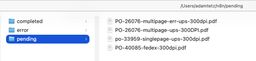
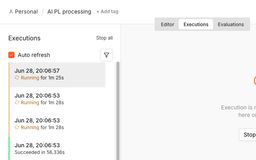
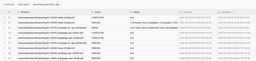
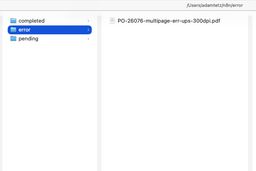
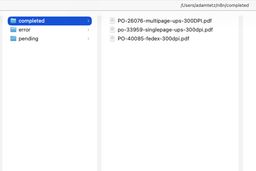
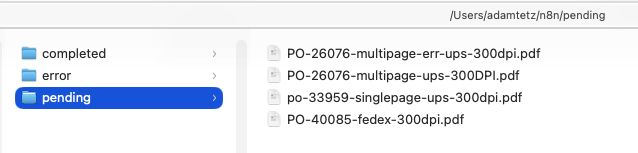
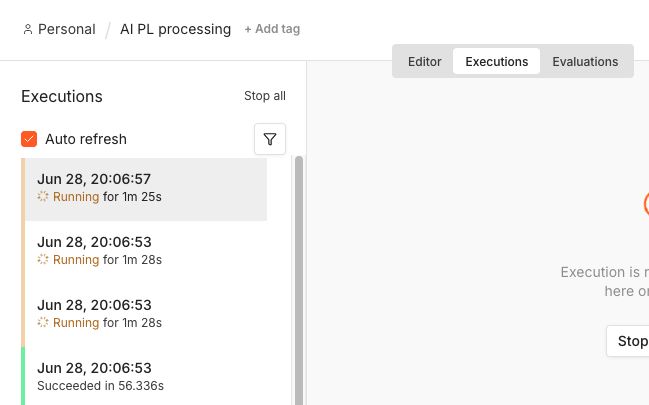
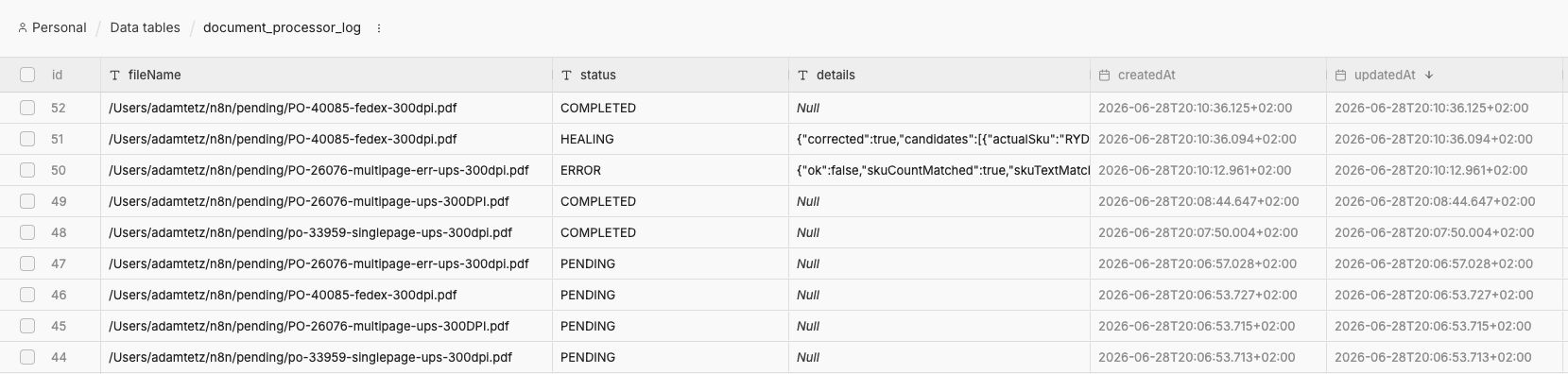
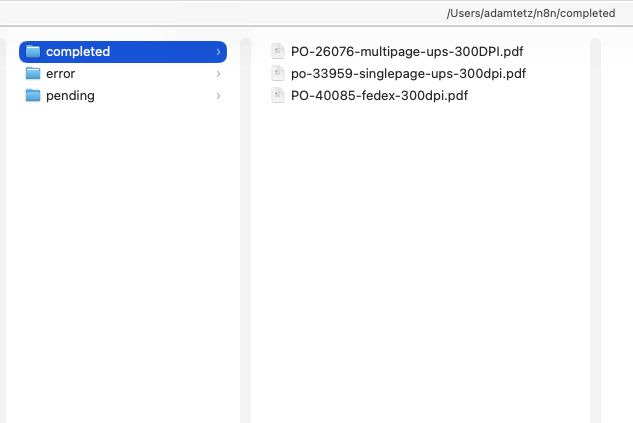
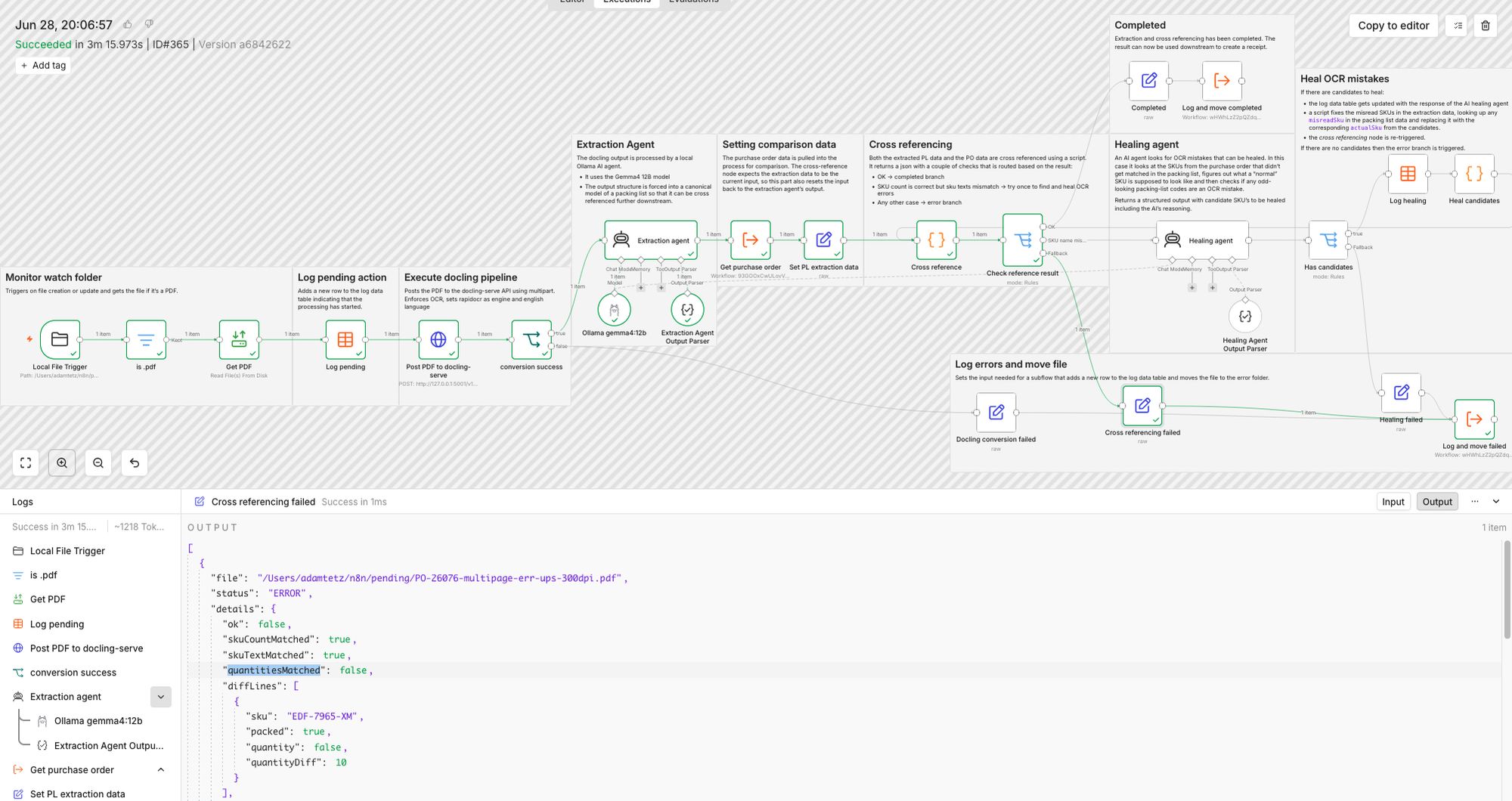
After dropping all testfiles in the pending folder it's easy to track the progress of the workflow by opening up the executions tab. Once all executions were done I opened up the data table to see the logs that were created.
- PO-33959-singlepage-ups-300dpi.pdf & PO-26076-multipage-ups-300DPI.pdf completed in the first run.
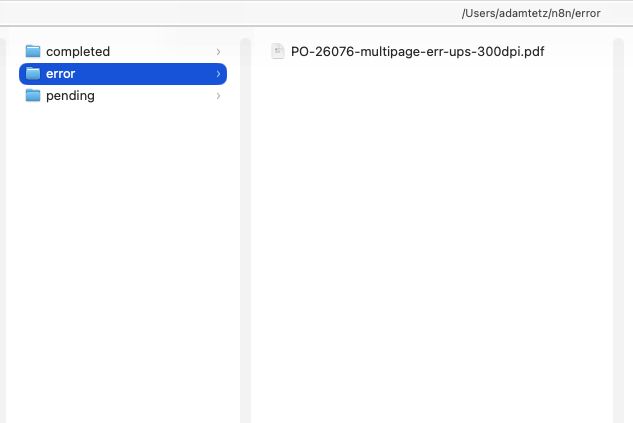
- PO-26076-multipage-err-ups-300dpi.pdf failed because of a quantity mismatch. This file also included the swapped column from part 1 which turned out not to be an issue.
- PO-40085-fedex-300dpi.pdf needed to self heal because of an OCR error in the SKU (this is the example used throughout this post).
The files were also successfully moved to their corresponding path and the error log showed exactly which SKU had a quantity mismatch and by how much.
Conclusion
Having built and tested a proof of concept to extract and cross reference PDF documents, it's time to look back at the original research question:
How reliably can an LLM based system for document extraction reduce the need for human intervention when the template changes?
The short answer is yes, with a few catches!
Within this context I think that there is a good use case for using AI locally to build a data extraction pipeline for documents. It speeds up processing and can auto-heal common OCR errors without sending documents anywhere. LLMs are great at extraction and classification but the decisions are still made by deterministic rules. Having said that, I don't think this eliminates human intervention completely. At least, not yet.
A few catches from building this solution:
- The healing step only triggers once. If a file needs more than one correction pass, it goes straight to the error branch instead of getting a second attempt.
- This solution only catches OCR-style text mistakes, not quantity mismatches. Depending on the context those could be addressed further downstream or by a human in the loop.
- The healing agent leans on the assumption that there are plenty of common OCR failure patterns in the models training data. I haven't tested how well it holds up on other document types outside what I used here.
- There's also the error pile itself. Failed files are logged but there is no system in place do something with them. Ideally a review system should be built on top of this to make it workable in production: a review app or a daily alert with a report to check the errors manually.
That wraps up this series!
If you've got thoughts, questions, or you've hit similar problems with a different approach, I'd genuinely like to hear about it. And if you're dealing with something like this yourself, this is exactly the kind of problem I love to work on. Get in touch and let's talk about what that could look like for you.